
If you’ve been working from home on the West Side lately, you’ve probably noticed a new “coworker” making a lot of noise: your MacBook fan. It starts as a low hum, then escalates into a full-blown jet engine roar, usually right when you’re in the middle of an important Zoom call.
At 22nd Cell Phone and Computer Fix, I talk to remote workers every day who are worried their laptop is about to give up. They’ve noticed the bottom of the case is hot enough to cook an egg, and the performance is starting to lag.
Living and working near 22nd St West, there is one specific reason your MacBook is struggling, and it isn’t necessarily because the computer is old. It’s the dust.
Why West Side Dust is Different?
Saskatoon is a beautiful city, but let’s be honest: between the winter road sand and the constant construction around the West Side, our air is “heavy.” If you work from home, your MacBook is essentially a high-powered vacuum cleaner.
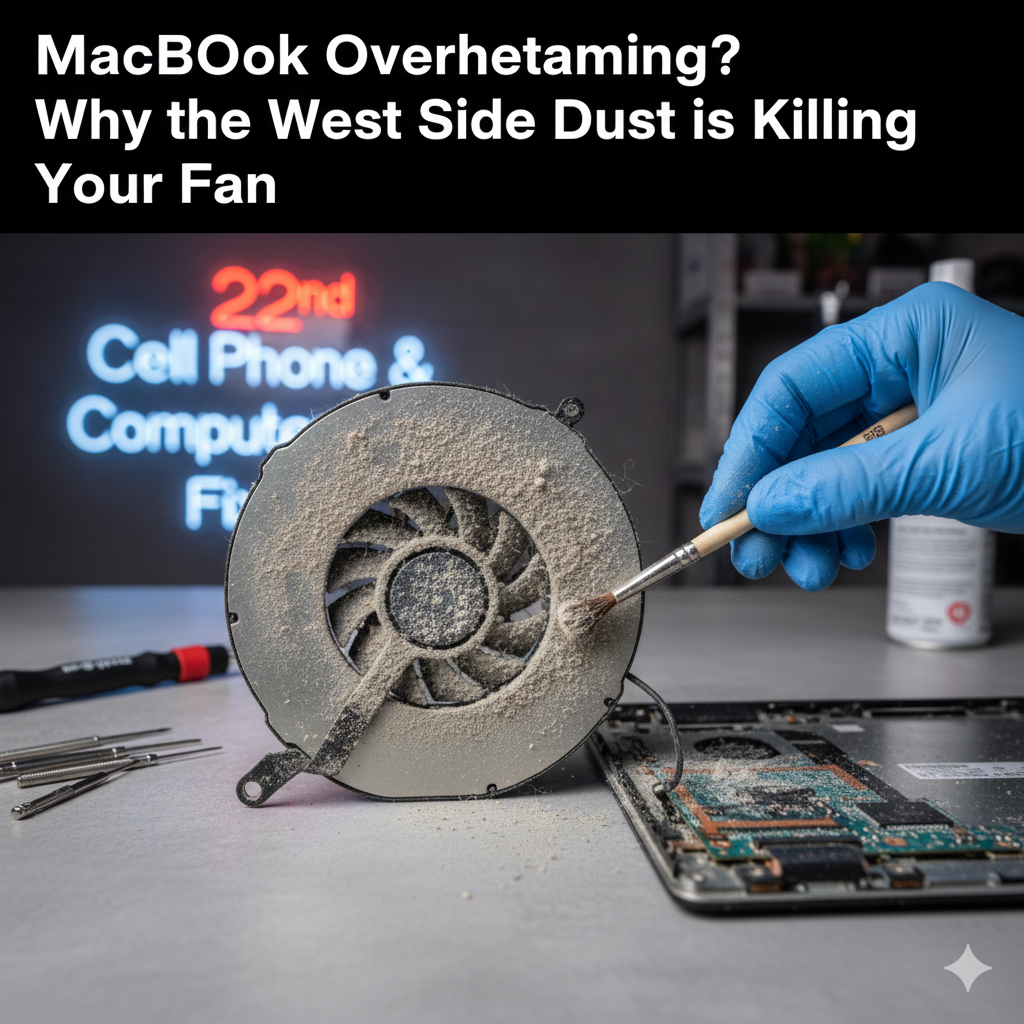
The fans inside pull in air to cool the processor, but they also pull in everything else, pet hair, carpet fibers, and that fine Saskatoon grit. Over time, this creates a “dust blanket” over your logic board.
- The Insulation Trap: Dust doesn’t just block airflow; it actually insulates the internal components, trapping heat inside like a parka you can’t take off.
- Fan Fatigue: When the vents are clogged, the fan has to spin at 6,000 RPM just to do a job that should take 2,000 RPM. This wears out the motor and leads to that grinding or clicking sound you might be hearing.
The “Home Office” Effect
I’ve noticed that remote workers often use their laptops on “soft” surfaces, beds, couches, or even just their laps. On the West Side, where many of us have older, cozy homes with carpets, this is a recipe for disaster. Soft surfaces block the slim vents at the hinge of your MacBook, forcing the fans to suck in even more fibers from the fabric.
If your fan is screaming, it’s a cry for help. It’s trying to prevent “thermal throttling,” which is when your Mac purposefully slows down its own brain just to keep from melting.
Why Does a Professional MacBook Cleaning Matter?
A lot of people think they can just blast some compressed air into the vents and call it a day. I’ve seen the results of that, and it’s usually not good. All that does is shove the dust deeper into the delicate internal fans.
When you bring your machine to us on 22nd St West, we do a proper deep clean:
- Open & Inspect: We safely remove the back plate to expose the “dust bunnies.”
- Detailing: We use anti-static tools to remove the caked-on grit from the fan blades and heat sinks.
- Thermal Paste: On older Macs, we often find the thermal paste (the stuff that moves heat away from the chip) has dried out. We can refresh that to make your Mac run like it’s brand new.
FAQs
How often should I get a MacBook cleaning in Saskatoon?
If you work in a home with pets or near a busy road like 22nd St, I recommend a professional internal cleaning once a year. It’s much cheaper than replacing a fried logic board.
Can I clean the fans myself?
You can, but MacBooks use specialized “Pentalobe” screws and have very fragile ribbon cables inside. If you aren’t comfortable working with microscopic parts, it’s best to let a pro handle the laptop repair in Saskatoon.
Will my Mac run faster after a cleaning?
Yes. If your Mac was “throttling” because of heat, clearing out the dust allows the processor to run at full speed again without overheating.
Is a loud fan always a sign of dust?
Usually, but it can also be a sign of a “runaway” app. Check your Activity Monitor, if your CPU usage is low but the fan is high, you almost certainly have a physical dust blockage.
Bring it to 22nd St West
You don’t have to suffer through a loud, slow laptop while you’re trying to work. Stop by 22nd Cell Phone and Computer Fix at 2124 22nd St West.
We’re right here in the neighborhood, and we can usually get your MacBook cleaning done the same day. Let’s get that “jet engine” back to a quiet hum so you can get back to work in peace.