
Quick answer: If you’re carrying a charger or power bank everywhere, checking Settings → Battery → Battery Health shows a “significantly degraded” message or a maximum capacity well under 80%, or your phone has shut off randomly with charge still showing — your iPhone doesn’t need a new charging habit. It needs a new battery. Replacement is usually a same-day, affordable fix that restores a phone you already like, instead of a reason to buy a new one.
Table of Contents
- Why “Just Charge It More” Quietly Stops Working
- Sign #1: Your Phone Doesn’t Make It Through the Day
- Sign #2: Battery Health Is Already Telling You
- Sign #3: Random Shutdowns, Even With Charge Left
- Sign #4: It Runs Hot, Slow, or Both — Especially When Charging
- Sign #5: You’ve Started Dressing Around Your Battery
- Replacement vs. Living With It: What It Actually Costs You
- What iPhone Battery Replacement Actually Involves
- iPhone Battery Repair in Saskatoon: What to Expect
- People Also Ask
- Sources
Why “Just Charge It More” Quietly Stops Working?
Nobody decides one day to start carrying a power bank. It happens gradually — a habit of topping up at your desk, then in the car, then anywhere there’s an outlet, until backup power is just part of how you leave the house. Each individual adjustment feels small. Together, they’re a pretty reliable sign that your phone’s battery has quietly crossed a line from “normal aging” to “actually needs replacing,” and you’ve been coping with it instead of fixing it.
That’s a completely understandable response — a dying battery doesn’t come with a clear announcement, and most people don’t know what the actual threshold is. So here’s what it looks like in practice: five concrete signs, in order of how obvious they usually are, that mean it’s replacement time rather than one more adjustment to your routine.
Sign #1: Your Phone Doesn’t Make It Through the Day
This is the one everyone notices first, even if they don’t name it as a battery problem. If your iPhone used to make it from a 7am alarm to an 11pm bedtime without thinking about it, and now you’re at 20% by mid-afternoon doing the exact same things you always did — same apps, same screen time, same amount of use — that’s not your usage changing. That’s the battery’s actual capacity shrinking.
Every lithium-ion battery, the kind in every iPhone, loses some maximum capacity with every full charge cycle. That’s expected and normal for the first year or two. It stops being normal when the day-to-day gap between “what the battery used to deliver” and “what it delivers now” becomes the main thing shaping your day.
Sign #2: Battery Health Is Already Telling You
Your iPhone doesn’t make you guess. Go to Settings → Battery → Battery Health & Charging, and you’ll see a maximum capacity percentage — a direct read of how much charge your battery can hold compared to when it was new.
Apple’s own guidance is specific here: iPhone batteries are designed to retain about 80% of their original capacity after a set number of full charge cycles (500 cycles for iPhone 14 models, 1,000 cycles for iPhone 15 models under normal conditions) — and once maximum capacity drops meaningfully below that, Apple’s own software will tell you directly. If that screen shows the message “Your battery’s health is significantly degraded. An Apple Authorized Service Provider can replace the battery to restore full performance and capacity,” that’s not a vague suggestion. That’s Apple’s own diagnostic telling you it’s time.
Worth knowing: Apple is clear that a degraded battery isn’t a safety issue on its own, and your phone will keep working — which is exactly why so many people ignore the message for months. It’s also why iOS has a separate, quieter response to a struggling battery, covered next.
Sign #3: Random Shutdowns, Even With Charge Left
If your phone has ever powered off on its own while the battery icon still showed 20%, 30%, or more remaining, that’s one of the clearest individual signs of a failing battery — specifically happening during moments that demand a quick burst of power, like opening the camera, launching a graphics-heavy app, or taking a call in cold weather.
An aging battery loses the ability to deliver power smoothly under sudden demand, even if its average charge level looks fine. The phone shuts down as a protective measure rather than risk an unstable power draw. A single shutdown might be a fluke. A pattern of them — especially tied to specific actions, like opening the camera — is the battery, not the phone.
Sign #4: It Runs Hot, Slow, or Both — Especially When Charging
A struggling battery doesn’t just hold less charge — it can also change how the phone behaves while it’s being used or charged:
- Noticeably slower app launches, lower frame rates in games, or a dimmer flash can all be signs that iOS has quietly stepped in with performance management to prevent an unexpected shutdown, which Apple’s own battery documentation describes as a direct response to reduced peak power capability.
- Running unusually hot, especially during normal charging rather than heavy use, can point to a battery that’s no longer regulating power efficiently.
- Charging that takes noticeably longer than it used to, even with the same cable and adapter, is often one of the earliest signs — easy to miss because it happens gradually, usually explained away as “this cable must be wearing out” long before anyone blames the battery.
None of these show up every time, and none of them alone is a guaranteed diagnosis. But two or three of them together, especially alongside a dropping Battery Health percentage, are a strong signal.
Sign #5: You’ve Started Dressing Around Your Battery
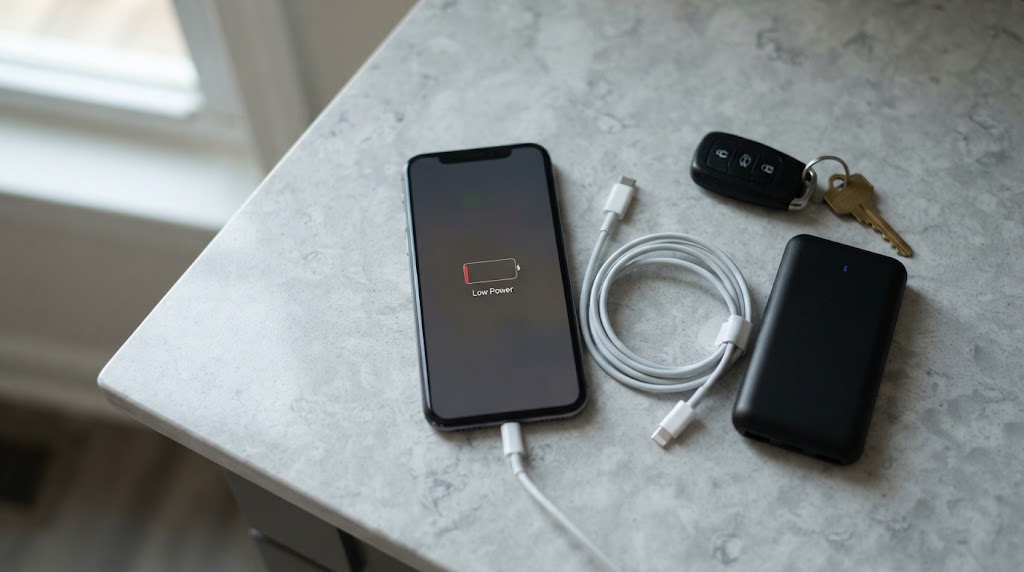
This is the sign that matters most, because it’s the one people normalize without noticing: when a power bank becomes part of what you bring with you by default, not for a specific trip or long day, but just in case — your phone has already told you something, and you’ve already adjusted your whole routine around not listening.
It’s worth being honest with yourself about what that habit is actually costing: the extra weight in your bag, the mental tally of “did I charge the power bank,” the slightly anxious battery-checking throughout the day. A replaced battery removes all of it in one visit, instead of asking you to keep managing around a problem that has a straightforward fix.
Replacement vs. Living With It: What It Actually Costs You
| Living with a failing battery | Replacing the battery | |
|---|---|---|
| Daily cost | Mental overhead of charger-checking, carrying backup power, anxiety about dying mid-day | None — phone works like it used to |
| Risk | Shutdowns at inconvenient moments (calls, directions, payments), gradual worsening | Minimal — a routine, well-understood repair |
| Long-term cost | Often leads to an early, unnecessary full phone upgrade | A fraction of the cost of a new phone |
| Time investment | Ongoing, every single day | A single visit, typically same-day |
A new battery is, in almost every case, dramatically cheaper than a new phone — and for a phone that’s otherwise working fine, it’s the difference between an unnecessary upgrade and a quick fix that gives you another year or two with a device you already know and like.
What iPhone Battery Replacement Actually Involves?
A proper iPhone battery replacement is a well-understood, routine repair: the old battery is carefully disconnected and removed, a new battery is installed and properly seated and secured, and the phone is tested to confirm normal charging behavior and an accurate Battery Health reading before it’s handed back. [PLACEHOLDER: confirm your actual process details — battery sourcing (OEM vs. quality aftermarket), typical turnaround, and warranty length, so this section reflects exactly what customers can expect from you specifically.]
A properly replaced battery should leave your Battery Health reading back in the high-90s-to-100% range and resolve the shutdowns, slow charging, and performance dips that came with the old one — not just “feel a little better” for a week.
iPhone Battery Repair in Saskatoon: What to Expect?
Battery replacements are typically one of the faster, more routine repairs a shop handles — often comparable in speed to a screen replacement. [PLACEHOLDER: confirm actual typical turnaround for battery replacement and whether walk-ins are generally accommodated same-day.]
If you’re not sure whether your specific issue is actually the battery or something else — a charging port, a software problem, or a different hardware issue entirely — that’s a reasonable thing to ask about before committing to a repair, rather than guessing.
Check our services or contact us to ask about your specific iPhone model before you come in.
People Also Ask
How do I check my iPhone’s battery health?
Go to Settings → Battery → Battery Health & Charging. You’ll see a maximum capacity percentage comparing your current battery to when it was new, and if the battery has degraded significantly, iOS will show a direct message recommending service.
What percentage battery health is considered bad?
Apple doesn’t publish a single universal “replace now” number, but its own Battery Health screen will display a “significantly degraded” message well before the battery becomes unusable. As a general guide, many people start noticing real day-to-day impact once maximum capacity drops meaningfully below 80%, which lines up with Apple’s own 500-to-1,000-cycle capacity design targets depending on iPhone model.
Can I replace my iPhone battery myself?
It’s technically possible on some models, but it involves specialized tools, careful handling of the battery adhesive, and — critically — safe handling of the lithium-ion battery itself, which can be a genuine safety risk if punctured or damaged during removal. Most people get a better and safer result having it done professionally.
Will replacing my battery make my iPhone faster?
Often yes, if the slowdown was caused by the battery itself. When battery health degrades enough to trigger iOS’s performance management, replacing the battery typically restores normal performance, since the phone no longer needs to limit itself to avoid unexpected shutdowns.
Is it worth replacing the battery on an older iPhone, or should I just get a new phone?
If the phone otherwise meets your needs — storage is fine, everything else works, you’re not desperate for new features — a battery replacement is almost always the cheaper and more sustainable option, often extending the phone’s useful life by a year or more for a fraction of a new phone’s cost.